Tag Archive

Below you'll find a list of all posts that have been tagged as "devops"
blogImage

Kubernetes storage validation by Ansible test automation framework

Ansible is mainly used for software provisioning, configuration management, and application-deployment tool. We have used it for developing test automation framework to validate Kubernetes storage. How we used ansible as a test automation tool to validate Kubernetes storage is explained in this post.Why we used ansible?Kubernetes is a clustered environment where we will have 2 or more worker nodes and one or more master node. We have to create CSI driver volumes in it to validate our storage box.So, the test environment will consist of multiple hosts. The volume may be mount on any of the pod created in any of the worker nodes. So dynamically, we need to validate any of the worker nodes. If we use any programming/scripting languages, then we need to handle remote code execution. We worked in a couple of automation projects using PowerShell and python. But remote code execution library needs a lot of work. But in ansible, the heavy lifting of remote execution is taken care of by itself. So, we can only concentrate only on core test validation logicHow ansible is used?As part of the Kubernetes storage validation, there are many features to be validated.Features such as Volume group, Snapshot group, Volume mutator, Volume resize need to be validated. Each feature will have many test cases.For each feature, we created a role. Each test is covered in tasks file under role.In main.yml in roles will call all the test tasks file.Structure of ansible automation framework rolesroles Feature_test  volumegroup_provision        Tasks          Test1.yml          Test2.yml          Main.yml  volumesnapshot_provision  volume_resize  basic_volume_workflow Lib  resources    (library files sc,pvc,pod and IO inside Pod) volgroup_play.yml volsnaphost_play.yml volresize_play.yml basic_volume_play.yml Hosts In the above framework, test1.yml and test2.yml are tasks file where test cases would be written. Each feature will have its own play file—for example, Volgroup_play.yml. So if we execute volgroup_play.yml, then tests reside in test1.yml and test2.yml will be executed. Below command will execute the play ansible-playbook -I hosts volgroup_play.yml -vvChallenges:Problem:In ansible, if a task is failed, then execution will be stopped. So, if 10 test cases are there in a feature, and if a second test is failed, then remaining 8 test cases will not be executed.Solution:Each test case is written inside block and rescue. So, when testing is failed, it will be handled by a rescue block. In the rescue block, we will clean up the testbed so that the next test case will be executed without any issues.Sample test file.- Block:   - include: test_header  vars: Test_file: ‘test1.yml’ Test_description: ‘volume group provision basic workflow’  < creation of SC,PVC and POD and validation logic>     - include: test_footer  vars: Test_file: “test1.yml” Test_description: ‘volume group provision basic workflow’ Test_result: “Pass” rescue:  - include: test_footer   vars: Test_file: “test1.yml” Test_description: ‘volume group provision basic workflow’ Test_result: “Fail”  < Cleanup logic>Problem:Some of the tasks which can be done easier in a programming language are tough in ansible.Solution:Write custom ansible module using python.Pros of using ansible as automation framework:Ansible is very simple to implement.It takes care of heavy lifting of remote code executionFor clustered environment, speed of automation development is considerably higher.Cons:Though it is simple, still ansible is not programming language. When straightforward commands are written, it will be easier. but when we write logic, few lines of programming language will do what 100 lines of ansible does.When multiple tasks need to be executed in nested loop passion, it will be very hard to implement that in ansible. (we have to use ‘include’ module with loops then again use ‘include’ modules. It is not very intuitive)Conclusion:Ansible can be used as a test automation framework for Kubernetes storage validation. Wherever heavy programming logic is required , it is better to use custom ansible module using python which will make life easier..filledCheckboxes input[type="checkbox"]{opacity:0;display :none;}.multiStepFormBody button.close{z-index:99;}

Aziro Marketing

blogImage

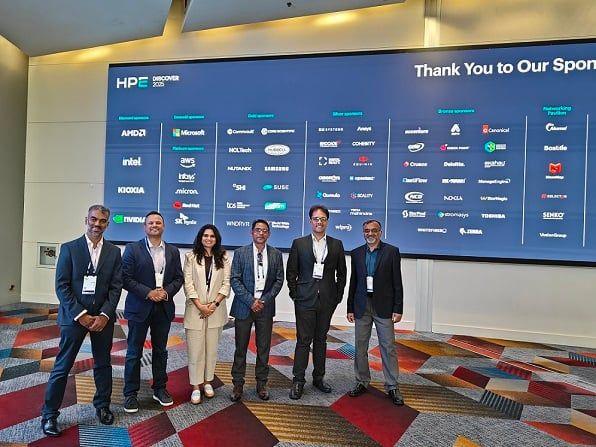
Leading AI-Native Engineering: Key Glimpses from HPE Discover 2025

Mega. Magnetic. Monumental.That’s how we’d describe HPE Discover 2025—a spectacle of scale, smarts, and synergy. Held in the vibrant heart of Las Vegas, the event wasn’t just a tech conference. It was a living pulse of innovation, a place where thousands of technology leaders, futurists, engineers, and enterprises came together to shape what’s next.And Aziro was right there in the thick of it.For Aziro, HPE Discover 2025 wasn’t just another event—it marked our bold debut under a brand-new identity. New name, new booth, new energy. Aziro took the floor with intent: to connect, to co-create, and to champion a new era of AI-native engineering. The Journey to LA: Flight. Focus. Future.Every event begins well before the booth goes live—it starts with anticipation. As we boarded our flight to LA, our team carried more than just gear and gadgets; we had ambition. Together, we mapped out our outreach strategies and refined our AI-native pitch, energized and united in our mission. Excitement buzzed through us all, fueled by the knowledge that we were advancing toward the future of engineering, driven by intelligence and intention.The Aziro Booth: Bold. Beautiful. Branded.HPE Discover 2025’s floor was buzzing with energy, but our eyes were locked on one thing: the Aziro #3245 booth. We couldn’t take our eyes off the AI-themed structure, glowing in muted lights, sleek panels, and a brand-new name that made its presence felt.Immersion: The Grand SetupHPE Discover isn’t just the crowd—it’s the canvas. High ceilings with dynamic projection maps, endless rows of interactive displays, and collaborative pods filled with people from over 30 countries. It felt less like an event and more like a global tech ecosystem stitched together by innovation.Tuesday Kickoff: Making it CountHPE Discover started on June 23rd, and from the first handshake to the last notebook scribble, we made it count. We listened. We asked more profound questions. We didn’t pitch products—we unpacked real challenges our prospects were facing. From a fintech firm seeking risk-aware automation to a healthcare company needing compliance-ready AI, we offered more than just slides: solutions and services with substance.The Aziro Arsenal: Our AI-Native StackWe showcased our full AI-native stack, each layer designed to meet the real-world needs of digital enterprises:AI-Enabled AutomationAgentic AI-Driven Business ProcessesAI-Driven DevSecOpsSRE and ObservabilityRAG-Enabled Support SystemsAI-Driven TestSmartEnhanced User ExperienceAI-Native CybersecurityThe Speakers: Voices of the FutureFrom Day 1, the speaker line-up was power-packed. Thought leaders, tech CEOs, and public sector visionaries—all talking about the next big leaps. We had a detailed chat with Christine De Nardo, COO at the Olivia Newton-John Cancer Research Institute. Her interest in AI-powered research diagnostics and data-driven care led to a powerful brainstorming session on what could become a healthcare PoC. Beyond keynotes, the speaker lounges turned into think tanks. And we were right there, exchanging ideas with the best.Relationships > Booth VisitsWe built many real connections during the event. We hosted whiteboard sessions, reverse-pitched on-the-spot challenges, and opened doors to co-development. Our conversations were tailored, profound, and often surprising.Final Word: From Presence to PurposeIn the world today, when everyone just talks about AI, very few are engineering it for absolute scale, absolute velocity, and real outcomes.Aziro is one of those few.Aziro enables businesses to embrace cognitive automation, reimagine their platforms, and scale their software products from early-stage innovation to IPO-level readiness. Its new brand language underscores agility, innovation, and a deep passion for problem-solving — values that have long been part of its culture.“Aziro is our statement of intent, of who we are, what we solve, and how we show up for our clients,” said Sameer Danave, Senior Director – Marketing at Aziro.HPE Discover event deeply strengthened our identity as an AI-native, innovation-led transformation partner, built to tackle today’s enterprise challenges and design tomorrow’s opportunities. This is not just a name change; it is a bold elevation of our promise.If you met us at HPE Discover, we are pleased to reconnect with you. If you missed us, let’s still connect.Because the future is AI-native, and Aziro is already building it.

Aziro Marketing

blogImage

Learn How to orchestrate Your Infrastructure Fleet with Chef Provisioning

Chef Provisioning is a relatively new member in the Chef family. It can be used to build infrastructure topologies using the new machine resource. This blog post shows how this is done. You bring up and configure individual nodes with Chef all the time. Your standard workflow would be to bootstrap a node, register the node to a Chef server, and then run Chef client to install software and configure the node. You would rinse and repeat this step for every node that you want in your fleet. Maybe you have written a nice wrapper over Chef and Knife to manage your clusters using Chef. Until recently, Chef did not have any way to understand the concept of cluster or fleet. So if you were running a web application with some decent traffic,there would be a bunch of cookbooks and recipes to install and configure: web servers, DB server, background processor, load balancer, etc. Sometimes, you might have additional nodes for Redis or RabbitMQ. So let us say, your cluster consists of three web servers, one DB server, one server that does all the background processing, like generate PDFs or send emails etc., and one load balancer for the three web servers. Now if you wanted to bring such a cluster for multiple environments, say “testing”, “staging,” and “production,” you would have to repeat the steps for each environment; not to mention, your environments could possibly be powered by different providers–production and staging on AWS, Azure, etc. But testing could possible be on local infrastructure, maybe in VMs. This is not difficult, but it definitely makes you wonder whether you could do it better–if only you could describe your infrastructure as code that comes up with just one command. That is exactly what Chef Provisioning does. Chef Provisioning was introduced in Chef version 12. This helps you describe your cluster as code and build it at will as many times as you want and on various types of clouds, virtual machines, or even on bare metal. The Concepts Chef provisioning depends on two main pillars–machine resource and drivers. Machine Resource “machine” is an abstract concept of a node from your infrastructure topology. It could be an AWS EC2 instance or a node on some other cloud provider. It could be a Vagrant-based virtual machine, a Linux container, or a Docker instance. It could even be a real, physical bare-metal machine. “machine” and other related resources (like machine_batch, machine_image, etc.,) can be used to describe your cluster infrastructure. Each “machine” resource describes whatever it does using standard Chef recipes. General convention is to describe your fleet and its topologies using “machine” and other resources in a separate file. We will see this in detail soon, but for now here is how a machine is described. #setup-cluster.rb machine 'server' do recipe 'nginx' end machine 'db' do recipe 'mysql' end A recipe is one of a “machine” resource’s attributes. Later we will see a few more of these along with their examples. Drivers As mentioned earlier, with Chef Provisioning you can describe your clusters and their topologies and then deploy them across a variety of clouds, VMs, bare metal, etc. For each such cloud or machine that you would like to provision, there are drivers that do the actual heavy lifting. Drivers convert the abstract “machine” descriptions into physical reality. Drivers are responsible for acquiring the node data, connecting to them via required protocol, bootstrapping them with Chef, and running the recipes described in the “machine” resource. Provisioning drivers need to be installed separately as gems. Following shows how to install and use AWS driver via environment variables in your system. $ gem install chef-provisioning-aws $ export CHEF_DRIVER=aws Running Chef-client on the above recipe will create two instances in your AWS account referenced by your settings in “~/.aws/config.” We will see an example run later in the post. Driver can be set in your knife.rb if you so prefer. Here, we set the chef-provisioning-fog driver for AWS. driver 'fog:AWS' It is possible to set driver inline in the cluster recipe code. require 'chef/provisioning/aws_driver' with_driver 'aws' machine 'server' do recipe ‘web-server-app' end In the following example, Vagrant driver is given the driver attribute and a driver URL as the value. “/opt/vagrantfiles” will be looked up for Vagrantfiles in the following case. machine 'server' do driver 'vagrant:/opt/vagrantfiles' recipe 'web-server-app' end It’s a good practice to keep driver details and cluster code separate as it lets you use the same cluster descriptions with different provisioners by just changing the driver in the environment. It is possible to write your own custom provisioning drivers. But that is beyond the scope of this blog post. The Provisioner Node An interesting concept you need to understand is that Chef Provisioner needs a “provisioner-node” to provision all machines. This node could be a node in your infrastructure or simply your workstation. chef-client (or chef-solo / chef-zero) runs on this “provisioner node” against a recipe that defines your cluster recipe. Chef Provisioner then takes care of acquiring a node in your infrastructure, bootstrapping it with Chef, and then running the required recipes on the node. Thus, you will see that chef-client runs twice–once on the provisioner node and then on the node that is being provisioned. The Real Thing Let us dig a deeper now. Let us first bring up a single DB server. Using Chef knife you can upload your cookbooks to the Chef server (you could do it with chef-zero as well). Here I have put all my required recipes in a cookbook called “cluster” and uploaded it to a Chef server and set the “chef_server_url” in my “client.rb” and “knife.rb”. You can find all the examples here. Machine #recipes/webapp.rb require 'chef/provisioning' machine 'db' do recipe ‘database-server’ end machine 'webapp' do recipe 'web-app-stack' end To run the above recipe: sudo CHEF_DRIVER=aws chef-client -r "recipe["cluster::webapp"]" This should bring up two nodes in your infrastructure — a DB server and a web application server as defined by the web-app-stack recipe. The above command assumes that you have uploaded the cluster cookbook consisting of the required recipes to the Chef server. More Machine Goodies Like any other Chef resource, machine can have multiple actions and attributes that can be used to achieve different results. A “machine” can have a “chef_server” attribute, which means different machines can talk to different Chef servers. “from_image” attribute can be used to set a machine image that can be used to create a machine. You can read more about machine resource here. Parallelisation Using machine_batch Now if you would like to have more than one web application instances in your cluster and you need more web app servers, say 5 instances, what do you do? Run a loop over your machine resource. 1.upto(5) do |i| machine "webapp-#{i}" do recipe 'web-app-stack' end end The above code snippet, when run, should bring up and configure five instances in parallel. “machine” resource parallelizes by default. If you describe multiple “machine” resources consecutively with same actions, then Chef Provisioning combines them into a single (“machine_batch”, more about this later) resource and runs it in parallel. This is great because it saves a lot of time. The following will not parallelize because the actions are different. machine 'webapp' do action :setup end machine 'db' do action :destroy end Note: if you put other resources between “machine” resources, the automatic parallelization does not happen. machine 'webapp' do action :setup end remote_file 'somefile.tar.gz' do url 'https://example.com/somefile.tar.gz' end machine 'db' do action :setup end Also, you can explicitly turn off parallelization by setting “auto_batch_machines = false” in Chef config (knife.rb or client.rb). Using “machine_batch” explicitly, we can parallelize and speed up provisioning for multiple machines. machine_batch do action :setup machines 'web-app-stack', 'db' Machine Image It is even possible to define machine images using a “machine_image” resource which can be used to build machines by the “machine” resource. machine_image 'web_stack_image' do recipe ‘web-app-stack’ end The above code will launch a machine using your chosen driver, install and configure the node as per the given recipes, create an image from this machine, and finally destroy the machine. This is quite similar to how Packer tool launches a node, configures it, and then freezes it as image before destroying the node. machine 'web-app-stack' do from_image 'web_stack_image' end Here a machine “web-app-stack” when launched will already have everything in the recipe “web-app-stack”. This saves a lot of time when you want to spin up machines, which have common base recipes. Think of a situation where team members need machines with some common stuff installed, and different people install their own specific things as per requirement. In such a case, one could create an image with the basic packages e.g., build-essential, ruby, vim, etc., and that base image could use a source machine image for further work. Load Balancer A very common scenario is to put a bunch of machines, say web-application-servers, behind a load balancer thus achieving redundancy. Chef Provisioning has a resource specifically for load balancers, aptly called “load_balancer”. All you need to do is create the machine nodes and then pass the machines to a “load_balancer” as below. 1.upto(2) do |node_id| machine “web-app-stack-#{node_id}” end load_balancer "web-app-load-balancer" do machines %w(web-app-stack-1 web-app-stack-2) end The above code will bring up two nodes–webapp-stack-1 and webapp-stack-2 and put a load balancer in front of them. Final Thoughts If you are using the AWS driver, you can set machine_options as below. This is important if you want to use customized AMIs, users, security groups, etc. with_machine_options :ssh_username => '', :bootstrap_options => { :key_name => '', :image_id => ‘', :instance_type => ‘’, :security_group_ids => '' } If you don’t provide the AMI ID, the AWS driver defaults to a certain AMI per region. Whatever AMI you use, you have to use the correct ssh username for the respective AMI. [3] One very important thing to note would be that there exists a Fog driver (chef-provisioning-fog) for various cloud services including EC2. So, there are often different names for the parameters that you might want to use. For example, the chef-provisioning-aws driver that depends on AWS Ruby SDK uses “instance_type” where as the Fog driver uses “flavor_id”. Security Groups use the key “security_groups_ids” in the AWS driver and takes ID as value, but the Fog driver uses “groups” and takes the name of the Security Group as its value. This can at times lead to confusion if you are moving from one driver to another. At the time of writing this article, I could use the help of the documentation of various drivers. The best way to understand them would be to check the examples provided, run them and learn from them–maybe even read the source code of various drivers to understand how they work. Chef Provisioning recently got bumped to 1.0.0. I would highly recommend to keep an eye on the GitHub issues in case you face some trouble. References [1] https://docs.chef.io/provisioning.html [2] https://github.com/pradeepto/chef-provisioning-playground [3] http://alestic.com/2014/01/ec2-ssh-username [4] https://github.com/chef/chef-provisioning/issues  

Aziro Marketing
blogImage

No Time for Downtime: 5-point Google Cloud DevOps Services Observability

Even with the greatest DevOps resources in place, a misalignment with new technologies and customer expectations may be disastrous for an organization. Downtime is not only a nasty word in the IT sector, but it is also a very expensive one. As organizational objectives shift and the need for additional services to satisfy consumer demands grows, IT teams are obliged to deploy apps that are more contemporary and nuanced. Unfortunately, recent outage incidents for services ranging from airline reservation systems to streaming video to e-commerce have resulted in loss of millions of dollars and endless hours of work. Cloud tools were also disrupted, causing numerous third-party services to fail and greatly impeding corporate operations that rely on them. Consequently, it is imperative for the DevOps teams to ensure top-notch measures for zero-downtime and outages while achieving the cultural and technical prowess they work relentlessly for. Google Cloud DevOps Services have the necessary tools and resources that emphasizes the need to monitor underlying architecture and foundation of a DevOps system. While a lot of contemporary DevOps services fail to deliver the desired performance quality for code scanners, pipeline orchestration, and even IDEs Google DevOps services might offer the require frameworks seek and root out the single points of failure for IaaS/SaaS services. So, let us take a look at some of the prime monitoring and self-healing features of Google Cloud DevOps that can help with ensuring uninterrupted service performance. Google DevOps Monitoring and Observability Google DevOps services understand the role of Monitoring for high-performing DevOps teams. Comprehensive Monitoring can make the CI/CD pipeline more resilient to unforeseen incidents of outages and downtime. For the DevOps team to assist in managing the rising complexity of automating optimal infrastructure, integration, testing, packaging, and cloud deployment it is essential that the observability and Monitoring is taken seriously. Here’s some idea about how Google DevOps ensure the required monitoring and observability standards: Infrastructure monitoring: The infrastructures are monitored for any indicators related to data centers, networks, hardware, and software that might be showing signs of service degradation. Application monitoring: Along with the application health in terms of availability and performance speed, Google DevOps resources also observe the performance capacity and unexpected behaviors by the application to predict any future downtime scenarios Network monitoring: Networks can be prone to unauthorized access and unforeseen activities. Therefore, the monitoring resources are invested in access logs and undesirable network behaviors like traffic, scalability etc. Systematic Observation Google DevOps takes a rather sophisticated approach to ensure impeccable Monitoring and observability. This can be understood with 5 specific points: Blackbox Monitoring: A sampling-based approach is employed to monitor particular target areas for different users or APIs. Usually blackbox monitoring is supported by a scheduling system and a validation engine that ensure regular sampling and response checks. Whitebox Monitoring: Unlike Blackbox monitoring, this one doesn’t only deal with response check. It goes deeper to observe more intricate points of interests – Logs, Metrics, and Traces. This gives a better understanding regarding the system state, thread performance, and event spans. Instrumentation: Instrumentation is concerned with the inner state of the system. Log entries and event spans with varying gauges can be observed to get detailed data about the systems states and behavioral characteristics. Correlation: Correlation essentially takes in the different data and puts them together to see a single pattern that can connect the different data points to present the report on the fundamental behavior and requirements of the system Computation: Finally, the points of correlation are aggregated for their cardinality and dimensionality that would give the precise report for the real-time dynamic functioning of the system and the related metadata to work on it. Therefore, with these 5 points of observability, Google Cloud DevOps Services make sure that the system is monitored through-and-through to eliminate any possible outages scenarios in future. Conclusion We can all agree that decreasing downtime while lowering costs is critical for any organization, thus bringing on a DevOps team to drive innovation should be a top priority for every company. IT outages are unaffordable for businesses. Instead, they must guarantee that a solid DevOps foundation is established, and that their goals are matched with those of IT departments in order to complete tasks quickly and efficiently while reducing the chance of failure. Downtime is no longer only an IT issue, it is now a matter of customer service and brand reputation. Investing in skills and technologies to limit the possibility of downtime in today’s app-centric, cloud-based world is money well spent.

Aziro Marketing

blogImage

Decoding the Self-Healing Kubernetes: Step by Step

PrologueBusiness application that fails to operate 24/7 would be considered inefficient in the market. The idea is that applications run uninterrupted irrespective of a technical glitch, feature update, or a natural disaster. In today’s heterogeneous environment where infrastructure is intricately layered, a continuous workflow of application is possible via self-healing.Kubernetes, which is a container orchestration tool, facilitates the smooth working of the application by abstracting machines physically. Moreover, the pods and containers in Kubernetes can self-heal.Captain America asked Bruce Banner in Avengers to get angry to transform into ‘The Hulk’. Bruce replied, “That’s my secret Captain. I’m always angry.”You must have understood the analogy here. Let’s simplify – Kubernetes will self-heal organically, whenever the system is affected.Kubernetes’s self-healing property ensures that the clusters always function at the optimal state. Kubernetes can self-detect two types of object – podstatus and containerstatus. Kubernetes’s orchestration capabilities can monitor and replace unhealthy container as per the desired configuration. Likewise, Kubernetes can fix pods, which are the smallest units encompassing single or multiple containers.The three container states include1. Waiting – created but not running. A container, which is in a waiting stage, will still run operations like pulling images or applying secrets, etc. To check the Waiting pod status, use the below command. kubectl describe pod [POD_NAME] Along with this state, a message and reason about the state are displayed to provide more information....  State:          Waiting   Reason:       ErrImagePull ... 2. Running Pods – containers that are running without issues. The following command is executed before the pod enters the Running state.postStartRunning pods will display the time of the entrance of the container....  State:          Running   Started:      Wed, 30 Jan 2019 16:46:38 +0530 ... 3. Terminated Pods – container, which fails or completes its execution; stands terminated. The following command is executed before the pod is moved to Terminated.prestopTerminated pods will display the time of the entrance of the container....  State:          Terminated    Reason:       Completed    Exit Code:    0    Started:      Wed, 30 Jan 2019 11:45:26 +0530    Finished:     Wed, 30 Jan 2019 11:45:26 +0530 ... Kubernetes’ self-healing Concepts – pod’s phase, probes, and restart policy.The pod phase in Kubernetes offers insight into the pod’s placement. We can havePending Pods – created but not runningRunning Pods – runs all the containersSucceeded Pods – successfully completed container lifecycleFailed Pods – minimum one container failed and all container terminatedUnknown PodsKubernetes execute liveliness and readiness probes for the Pods to check if they function as per the desired state. The liveliness probe will check a container for its running status. If a container fails the probe, Kubernetes will terminate it and create a new container in accordance with the restart policy. The readiness probe will check a container for its service request serving capabilities. If a container fails the probe, then Kubernetes will remove the IP address of the related pod.Liveliness probe example. apiVersion: v1 kind: Pod metadata:  labels:    test: liveness  name: liveness-http spec:   containers:   - args:    - /server    image: k8s.gcr.io/liveness    livenessProbe:      httpGet:        # when "host" is not defined, "PodIP" will be used        # host: my-host        # when "scheme" is not defined, "HTTP" scheme will be used. Only "HTTP" and "HTTPS" are allowed        # scheme: HTTPS        path: /healthz        port: 8080        httpHeaders:        - name: X-Custom-Header          value: Awesome      initialDelaySeconds: 15      timeoutSeconds: 1    name: liveness The probes includeExecAction – to execute commands in containers.TCPSocketAction – to implement a TCP check w.r.t to the IP address of a container.HTTPGetAction – to implement a HTTP Get check w.r.t to the IP address of a container.Each probe gives one of three results:Success: The Container passed the diagnostic.Failure: The Container failed the diagnostic.Unknown: The diagnostic failed, so no action should be taken.Demo description of Self-Healing Kubernetes – Example 1We need to set the code replication to trigger the self-healing capability of Kubernetes.Let’s see an example of the Nginx file. apiVersion: apps/v1 kind: Deployment metadata:   name: nginx-deployment-sample spec:  selector:    matchLabels:      app: nginx  replicas:4  template:    metadata:      labels:        app: nginx    spec:      containers:      - name: nginx        image: nginx:1.14.2        ports:        - containerPort: 80 In the above code, we see that the total number of pods across the cluster must be 4.Let’s now deploy the file.kubectl apply nginx-deployment-sampleLet’s list the pods, usingkubectl get pods -l app=nginxHere is the output.NAME                                    READY      STATUS    RESTARTS            AGE nginx-deployment-test-83586599-r299i    1/1       Running        0                5s       nginx-deployment-test-83586599-f299h    1/1       Running        0                5s nginx-deployment-test-83586599-a534k    1/1       Running        0                5s nginx-deployment-test-83586599-v389d    1/1       Running        0                5s As you see above, we have created 4 pods.Let’s delete one of the pods.kubectl delete nginx-deployment-test-83586599-r299iThe pod is now deleted. We get the following outputpod "deployment nginx-deployment-test-83586599-r299i" deletedNow again, list the pods.kubectl get pods -l app=nginxWe get the following output.NAME                                    READY     STATUS   RESTARTS    AGE nginx-deployment-test-83586599-u992j    1/1       Running     0         5s       nginx-deployment-test-83586599-f299h    1/1       Running     0         5s nginx-deployment-test-83586599-a534k    1/1       Running     0         5s nginx-deployment-test-83586599-v389d    1/1       Running     0         5s   We have 4 pods again, despite deleting one.Kubernetes has self-healed to create a new node and maintain the count to 4.Demo description of Self-Healing Kubernetes – Example 2Get pod details$ kubectl get pods -o wideGet first nginx pod and delete it – one of the nginx pods should be in ‘Terminating’ status$ NGINX_POD=$(kubectl get pods -l app=nginx --output=jsonpath="{.items[0].metadata.name}") $ kubectl delete pod $NGINX_POD; kubectl get pods -l app=nginx -o wide $ sleep 10 Get pod details – one nginx pod should be freshly started$ kubectl get pods -l app=nginx -o wideGet deployement details and check the events for recent changes$ kubectl describe deployment nginx-deploymentHalt one of the nodes (node2) $ vagrant halt node2 $ sleep 30 Get node details – node2 Status=NotReady$ kubectl get nodesGet pod details – everything looks fine – you need to wait 5 minutes$ kubectl get pods -o widePod will not be evicted until it is 5 minutes old – (see Tolerations in ‘describe pod’ ). It prevents Kubernetes to spin up the new containers when it is not necessary$ NGINX_POD=$(kubectl get pods -l app=nginx --output=jsonpath="{.items[0].metadata.name}") $ kubectl describe pod $NGINX_POD | grep -A1 Tolerations Sleeping for 5 minutes$ sleep 300Get pods details – Status=Unknown/NodeLost and new container was started$ kubectl get pods -o wideGet deployment details – again AVAILABLE=3/3$ kubectl get deployments -o widePower on the node2 node $ vagrant up node2 $ sleep 70 Get node details – node2 should be Ready again$ kubectl get nodesGet pods details – ‘Unknown’ pods were removed$ kubectl get pods -o wideSource: GitHub. Author: Petr RuzickaConclusionKubernetes can self-heal applications and containers, but what about healing itself when the nodes are down? For Kubernetes to continue self-healing, it needs a dedicated set of infrastructure, with access to self-healing nodes all the time. The infrastructure must be driven by automation and powered by predictive analytics to preempt and fix issues beforehand. The bottom line is that at any given point in time, the infrastructure nodes should maintain the required count for uninterrupted services.Reference: kubernetes.io, GitHub

Aziro Marketing

blogImage

DevOps Essentials: Toolchain, Advanced State and Maturity Model

DevOps, to me, concisely is the seamless integration and automation of development and operations activities, towards achieving accelerated delivery of the software or service throughout its life.In simple practical terms, it is the CI – continuous integration, CD – continuous deployment, CQ – continuous quality and CO – continuous operations.It can be seen as a philosophy, practice or culture. Whether you follow ITIL, Agile or something else, DevOps will help you accelerate throughput. And in turn increase the productivity & quality at a reduced time.Some of the most popular tools in the space of DevOps are Chef, Puppet & Ansible which primarily help automate deployment and configuration of your software. The DevOps chain starts at unit testing with JUnit & NUnit and SCM tools such as svn, clearcase & git. These are integrated with a build server such as Jenkins. QA frameworks such as Selenium, AngularJS & Robot automate the testing which makes it possible to run the test cycles repeatedly as needed to ensure quality. On passing the quality tests, the build is deployed to desired target environments – test, UAT, staging or even production.Illustration 1: Example DevOps Tools ChainIn its primitive scope of DevOps, the ops part comprises of the traditional build & release practice of the software. And in its advanced form, it can be taken to the Cloud with Highly -Available, -Scalable, -Resilient and Self-Healing capabilities.Illustration 2: Advanced State DevOpsWe have a team of DevOps champions helping our customers achieve their DevOps goal achieving DevOps maturity.Illustration 3: DevOps Maturity Model

Aziro Marketing

blogImage

How to Make MS Azure Compatible with Chef

Let’s get an overview of Microsoft Azure cloud and, how the popular configuration management tool Chef can be installed on Azure for making them work together.Chef IntroductionChef is a configuration management tool that turns infrastructure into code. You can easily configure your server with the help of Chef. Chef will help you automate, build, deploy, and manage the infrastructure process.If you want to know more about Chef, please refer to https://docs.chef.io/index.html.In order to know how you can create a user account on hosted Chef, please refer to:https://manage.chef.io/signup; alternatively, use open-source Chef by referring to:https://docs.chef.io/install_server.html.Microsoft AzureMicrosoft Azure is a cloud computing platform and infrastructure created by Microsoft for building, deploying, and managing applications and services through a global network of Microsoft-managed datacenters.It provides both PaaS and IaaS services and supports many different programming languages, tools, and frameworks, including both Microsoft-specific and third-party software and systems.For more details refer to: http://azure.microsoft.com/en-in/ andhttp://msdn.microsoft.com/en-us/library/azure/dd163896.aspx.There are three ways to install Chef extension on Azure cloud:By using Azure Portal2. Azure PowerShell CLI3. Knife-azure – The Chef’s CLI tool for Azure providerPrerequisites  Active account on the Azure cloud; https://manage.windowsazure.com or https://portal.azure.comActive account on hosted Chef; See https://manage.chef.io/signup.We need your Chef’s account organization_validation key, rb and run_list.Sample format for client.rb file­:log_location: STDOUT chef_server_url  "https://api.opscode.com/organizations/" validation_client_name "-validator" +36+9 1. From Azure portal log into your azure account at https://portal.azure.com1.1 List existing virtual machines:1.2 Select existing VM:1.3 Click the Extensions section:1.4 Select Add Extension:1.5 Select the Chef extension:1.6 Click the Create button:1.7 Upload Chef configuration files:1.8 You can now see the Chef extension for VM: 2. Azure PowerShell CLI ToolAzure PowerShell is a command line tool used to manage Azure cloud resources. You can use cmdlets to perform the same tasks that you can perform from the Azure portal.Refer- http://msdn.microsoft.com/en-us/library/azure/jj156055.aspxPrerequisitesInstall Azure PowerShell Tool; refer to http://azure.microsoft.com/en-in/documentation/articles/install-configure-powershell/Azure user accounts publish settings file.We are going to use Azure PowerShell cmdlets to install the Chef extension on Azure VM.2.1 Import your Azure user account into your PowerShell Session. Download subscription credentials for accessing Azure. This can be done by executing a cmdlet.PS C:\> Get-AzurePublishSettingsFile It will launch your browser and download the credentials file. PS C:\> Import-AzurePublishSettingsFile PS C:\> Select-AzureSubscription -SubscriptionName "" PS C:\> Set-AzureSubscription -SubscriptionName "" -CurrentStorageAccountName "" 2.2 Create a new Azure VM and install the Chef extension# Set VM and Cloud Service names PS C:\> $vm1 = "azurechef" PS C:\> $svc = "azurechef" PS C:\> $username = 'azure' PS C:\> $password = 'azure@123' PS C:\> $img = #Note- Try Get-AzureVMImage cmdlet to list images PS C:\> $vmObj1 = New-AzureVMConfig -Name $vm1 -InstanceSize Small -ImageName $img #Add-AzureProvisioningConfig  for Windows OR Linux VM # For Windows VM     PS C:\> $vmObj1 = Add-AzureProvisioningConfig -VM $vmObj1 -Password $password -AdminUsername $username –Windows or# For Linux VM     PS C:\> $vmObj1 = Add-AzureProvisioningConfig -VM $vmObj1 -Password $password -LinuxUser $username -Linux # Set AzureVMChefExtension for Windows OR Linux VM # For Windows VM     PS C:\> $vmObj1 = Set-AzureVMChefExtension -VM $vmObj1 -ValidationPem "C:\\users\\azure\ \msazurechef-validator.pem" -ClientRb "C:\\users\\azure\\client.rb" -RunList "getting-started" -Windows or# For Linux VM      PS C:\> $vmObj1 = Set-AzureVMChefExtension -VM $vmObj1 -ValidationPem "C:\\users\\azure\ \msazurechef-validator.pem" -ClientRb "C:\\users\\azure\\client.rb" -RunList "getting-started" -Linux # Create VM     PS C:\> New-AzureVM -Location 'West US' -ServiceName $svc -VM $vObj1 2.3 Install SetAzureVMChefExtension on existing azure VM:# Get existing azure VM     PS C:\> $vmObj1 = Get-AzureVM -ServiceName  -Name # Set AzureVMChefExtension for Windows OR Linux VM # For Windows VM     PS C:\> $vmObj1 = Set-AzureVMChefExtension -VM $vmObj1 -ValidationPem "C:\\users\\azure\ \msazurechef-validator.pem" -ClientRb "C:\\users\\azure\\client.rb" -RunList "getting-started" -Windows or# For Linux VM     PS C:\> $vmObj1 = Set-AzureVMChefExtension -VM $vmObj1 -ValidationPem "C:\\users\\azure\ \msazurechef-validator.pem" -ClientRb "C:\\users\\azure\\client.rb" -RunList "getting-started" -Linux 2.4 You can use following cmdlets to Remove Chef Extension from VM# Get existing azure VM PS C:\> $vmObj1 = Get-AzureVM -ServiceName  -Name # Remove Chef Extension from VM PS C:\> Remove-AzureVMChefExtension -VM $vmObj1 # Update VM PS C:\> Update-AzureVM -ServiceName $vmName -Name $vmName -VM $vmObj1 2.5 You can get current state of Chef Extension by using following cmdlet:# Get existing azure VM PS C:\> $vmObj1 = Get-AzureVM -ServiceName  -Name # Get Chef Extension details from VM PS C:\> Set-AzureVMChefExtension -VM $vmObj1 3. Knife-Azure Chef’s Plugin: A knife plugin to create, delete, and enumerate Windows Azure resources to be managed by Chef. The knife-azure plugin (v1.4.0.rc.0) gives features to create VM and install chef extension on Windows Azure Cloud.For more details refer to https://docs.chef.io/plugin_knife_azure.html orhttps://github.com/opscode/knife-azurePrerequisites: ruby v1.9.3 +chef v11.0 +knife-azure v1.4.0.rc.0 pluginAzure user account publishsettings fileChef user accounts configuration filesInstall Ruby:On Windows- http://rubyinstaller.org/On Linux- https://rvm.io/Install Chef:$ gem install chef Install knife-azure plugin:$ gem install knife-azure --pre Download Chef’s Starter Kit:This starter kit includes Chef’s user/organization related configuration details. i.e., user.pem,organization-validator.pem and knife.rb files.Please refer to: https://learn.chef.io/legacy/get-started/#installthestarterkit orhttps://manage.chef.io/starter-kit.Run knife azure command to create VM and install chef extension-Create Windows VM command:$ knife azure server create  --azure-source-image   --azure-dns-name   --azure-service-location " " --winrm-user  --winrm-password   --azure-publish-settings-file  -c  --bootstrap-protocol "cloud-api" Create Linux VM command:$ knife azure server create -I  -x  -P  --bootstrap-protocol "cloud-api" -c  --azure-service-location" " --azure-publish-settings-file Note- To get$ knife azure image list -c   --azure-publish-settings-file Microsoft Azure is the leading public cloud platform out there, and Chef is one of the most sought after continuous integration and delivery tool. When they come together, ramifications can be great. Please share your comments and questions below. 

Aziro Marketing

blogImage

How to Secure CI/CD Pipelines with these 5 Key DevSecOps Practice

While we understand the importance of ‘Continuous Everything’ and stress on CI/CD pipelines, we must also pay heed to its safety requirements. There are hidden security vulnerabilities in our codes that often hamper the operations and testing lifecycle phase. And on top it, vulnerabilities, which we import with third-party libraries via OSS – open-source software could make things worse. While we are building CI/CD pipelines, coders are working on plethora of codes. These codes need a thorough checking mechanism. Checking all the codes manually is a task impossible. Thus, we have DevSecOps. Continuous Everything and DevSecOps work in tandem. For the environment to have continuity, there mustn’t be any kind of threat. Because if there is, it will make the Continuous Everything to crumble down. The process of following Continuous Everything culminates into continuous delivery pipelines. These pipelines help in vetting daily committed codes. Therefore, it makes sense to patch security checks within these pipelines and run them automatically. This way any unseen vulnerabilities will be nipped in the bud. Let’s see the five key DevSecOps steps to ensure security in CI/CD pipelines. 1. Pre Source Code Commitment Analysis The DevSecOps team must check the codes thoroughly before submitting it to the source code repository. The DevSecOps team can leverage SAST – (Static Analysis Security Testing) tools for analyzing the codes. Therefore, the team can detect any kind of mismatch in coding best practices and prevent the import of third-party libraries, which are insecure. After the check, the team can fix recurring security issues before it goes to source code. This way, manual tasks can be easily automated, and productivity can be boosted. However, the DevSecOps team must ensure that the SAST tool works well with the programming language. Lack of compatibility between the two could hamper overall productivity. 2. Source Code Commitment Analysis These checks apply to any changes a coder executes in the source code repository. It is generally an automated security test to give a quick idea of changes required. Therefore, implementing a source code commitment analysis could help to create processes, which are strategically defined to ensure security checks. Further, it also assists the DevSecOps teams in debugging issues that might create unnecessary risks in the projects. Here too, you can use the SAST tool by applying certain rules, which suit your application. Also, you could identify top vulnerabilities for your applications and run checks for them automatically. These can be either XSS scripting or SQL injection. Developers also can perform extended unit testing. The unit test use cases can differ according to the application and its features. Lastly, coders must gauge results from the automated test and make necessary changes in their coding styles. 3. Advanced Security Test – Post Source Commitment Analysis On completion of the aforementioned steps, the DevSecOps team must ensure an advanced check, which is triggered automatically. This is a necessary step, in case the unit test fails, and/or the SAST test isn’t helping, there is an issue of programming language compatibility. Vulnerabilities are then detected and if a threat of grave nature is found, it needs to be resolved. The automated post source commitment analysis would typically include open source threat detection, risk-detection security tests, PGP-signed releases, and using repositories to store artifacts. 4. Staging Environment Code Analysis The staging environment is the last stage before an application is moved to production. Therefore, the security analysis of every ‘build’ from the repository becomes essential. Here, apart from SAST, the security team must also execute DAST, performance, and integration checks. The advanced rules set in SAST and DAST must be aligned to the OWASP checklist. DAST would assist security teams in testing sub-components of applications for vulnerabilities and then deploying it. Moreover, an application, which is in the operational state, can be likewise examined. This also means that DAST scanners are independent of programming languages. The test of third-party and open source components including logging, web frameworks, XML data, or parsing json is also significant. Any vulnerabilities here must be properly addressed before moving to the production stage. Pre-Production Environment Code Analysis In this step, the DevSecOps team must ensure that an application deployed to a production stage has zero errors. This is done post-deployment. An optimal way to conduct this check is by triggering continuous checks automatically once the aforementioned steps are complete. DevSecOps team can identify vulnerabilities, which possibly went unnoticed in the previous steps. Further, continuous security checks would offer real-time insight into the application performance and fathom users with unauthorized access. Conclusion The growth of DevOps as a culture and implementation of CI/CD, as a result, would ultimately create tighter security requirements. Any kind of vulnerability and its impact increases from coding, testing, deployment to the production stage. Therefore, it is important to make security an important part of DevOps, right from the start. Additionally, it is crucial to break the silo approach, and embrace DevSecOps. Security teams that implement DevSecOps in a methodological process as listed below, make it easier to integrate processes and bring consistency in the cybersecurity. a. Pre Source Code Commitment Analysis b. Source Code Commitment Analysis c. Advanced Security Test – Post Source Commitment Analysis d. Staging Environment Code Analysis e. Pre-Production Environment Code Analysis

Aziro Marketing

blogImage

How to write Ohai plugin for the Windows Azure IaaS cloud

Chef is an open-source systems management and cloud infrastructure automation framework created by Opscode. It helps in managing your IT infrastructure and applications as code. It gives you a way to automate your infrastructure and processes. Knife is a CLI to create, update, search and delete the entities or manage actions on entities in your infrastructure like node (hosts), cloud resources, metadata (roles, environments) and code for infrastructure (recipes, cookbooks), etc. A Knife plug-in is a set of one (or more) subcommands that can be added to Knife to support additional functionality that is not built-in to the base set of Knife subcommands. Ohai, Ohai plugins and the hints system: Ohai is a tool that is used to detect certain properties about a node’s environment and provide them to the chef-client during every Chef run. The types of properties Ohai reports on include: Platform details Networking usage Memory usage Processor usage Kernel data Host names Fully qualified domain names (FQDN) Other configuration details When additional data about a system infrastructure is required, a custom Ohai plugin can be used to gather that information. An Ohai plugin is a Ruby DSL. There are several community OHAI cloud plugins providing cloud specific information. Writing OHAI plug-in for the Azure IaaS cloud: In simple words Ohai plug-in is a ruby DSL that populates and returns a Mash object to upload nested data. It can be as simple as: provides “azure” azure Mash.new azure[:version] = “1.2.3” azure[:description] = “VM created on azure” And you are done!! Well practically you would populate this programmatically. This plug-in is now ready and when the chef client runs, you would see these attributes set for the node. More on how to setup the custom plug-ins. Additionally Ohai includes a hinting system that allows a plugin to receive a hint by the existence of a file. These files are in the JSON format to allow passing additional information about the environment at bootstrap time, such as region or datacenter. This information can then be used by ohai plug-ins to identify the type of cloud the node is created on and additionally any cloud attributes that should be set on the node. Let’s consider a case where you create a virtual machine instance on the Microsoft Windows Azure IaaS Cloud using the knife-azure plugin. Typically, once the VM is created and successfully bootstrapped, we can use knife ssh to secure shell into the VM and run commands. To secure shell into the VM the public IP or FQDN should be set as an attribute. Incase of Azure, the public FQDN can only be retrieved by querying azure management API which can add a lot of overhead to Ohai. Alternatively we can handle this using OHAI hint system, where the knife azure plug-in can figure out the public FQDN as part of VM creation. and pass on this information to VM. Then a OHAI plug-in can be written which reads the hints file and determines the public IP address. Let’s see how to achieve this: The hints data can be generated by any cloud plug-in and sent over to node during bootstrap. For example say the knife-azure plug-in sets few attributes within plug-in code before bootstrap: 1. Chef::Config[:knife][:hints]["azure"] ||= cloud_attributes Where “cloud_attributes” is hash containing the attributes to be set on node using azure ohai plug-in. {"public_ip":"137.135.46.202","vm_name":"test-linuxvm-on-cloud", "public_fqdn":"my-hosted-svc.cloudapp.net","public_ssh_port":"7931"} You can also have this information passed as a json file to the plug-in if it’s not feasible to modify the plug-in code and the data is available before knife command execution so that it can be passed as CLI option: "--hint HINT_NAME[=HINT_FILE]" "Specify Ohai Hint to be set on the bootstrap target. Use multiple --hint options to specify multiple hints." The corresponding ohai plug-ins to load this information and set the attributes can be seen here: https://github.com/opscode/ohai/blob/master/lib/ohai/plugins/cloud.rb#L234 Taking the above scenario, this will load attribute like cloud.public_fqdn in the node which can then be used by knife ssh command or for any other purpose. Knife SSH example: Once the attributes are populated on chef node we can use knife ssh command as follows: $ knife ssh 'name:nodename' 'sudo chef-client -v' -a 'cloud.public_fqdn' --identity-file test.pem --ssh-user foo --ssh-port 22 my-hosted-svc.cloudapp.net Chef: 11.4.4$ knife ssh 'name:nodename' 'sudo chef-client -v' -a 'cloud.public_fqdn' --identity-file test.pem --ssh-user foo --ssh-port 22 my-hosted-svc.cloudapp.net Chef: 11.4.4 *Note the use of attribute ‘cloud.public_fqdn’ which is populated using the ohai hint system from the json. This post is meant to explain the basics and showcase a real world example of the Ohai plugins and the hints system.

Aziro Marketing

EXPLORE ALL TAGS
2019 dockercon
Advanced analytics
Agentic AI
agile
AI
AI ML
AIOps
Amazon Aws
Amazon EC2
Analytics
Analytics tools
AndroidThings
Anomaly Detection
Anomaly monitor
Ansible Test Automation
apache
apache8
Apache Spark RDD
app containerization
application containerization
applications
Application Security
application testing
artificial intelligence
asynchronous replication
automate
automation
automation testing
Autonomous Storage
AWS Lambda
Aziro
Aziro Technologies
big data
Big Data Analytics
big data pipeline
Big Data QA
Big Data Tester
Big Data Testing
bitcoin
blockchain
blog
bluetooth
buildroot
business intelligence
busybox
chef
ci/cd
CI/CD security
cloud
Cloud Analytics
cloud computing
Cloud Cost Optimization
cloud devops
Cloud Infrastructure
Cloud Interoperability
Cloud Native Solution
Cloud Security
cloudstack
cloud storage
Cloud Storage Data
Cloud Storage Security
Codeless Automation
Cognitive analytics
Configuration Management
connected homes
container
Containers
container world 2019
container world conference
continuous-delivery
continuous deployment
continuous integration
Coronavirus
Covid-19
cryptocurrency
cyber security
data-analytics
data backup and recovery
datacenter
data protection
data replication
data-security
data-storage
deep learning
demo
Descriptive analytics
Descriptive analytics tools
development
devops
devops agile
devops automation
DEVOPS CERTIFICATION
devops monitoring
DevOps QA
DevOps Security
DevOps testing
DevSecOps
Digital Transformation
disaster recovery
DMA
docker
dockercon
dockercon 2019
dockercon 2019 san francisco
dockercon usa 2019
docker swarm
DRaaS
edge computing
Embedded AI
embedded-systems
end-to-end-test-automation
FaaS
finance
fintech
FIrebase
flash memory
flash memory summit
FMS2017
GDPR faqs
Glass-Box AI
golang
GraphQL
graphql vs rest
gui testing
habitat
hadoop
hardware-providers
healthcare
Heartfullness
High Performance Computing
Holistic Life
HPC
Hybrid-Cloud
hyper-converged
hyper-v
IaaS
IaaS Security
icinga
icinga for monitoring
Image Recognition 2024
infographic
InSpec
internet-of-things
investing
iot
iot application
iot testing
java 8 streams
javascript
jenkins
KubeCon
kubernetes
kubernetesday
kubernetesday bangalore
libstorage
linux
litecoin
log analytics
Log mining
Low-Code
Low-Code No-Code Platforms
Loyalty
machine-learning
Meditation
Microservices
migration
Mindfulness
ML
mobile-application-testing
mobile-automation-testing
monitoring tools
Mutli-Cloud
network
network file storage
new features
NFS
NVMe
NVMEof
NVMes
Online Education
opensource
openstack
opscode-2
OSS
others
Paas
PDLC
Positivty
predictive analytics
Predictive analytics tools
prescriptive analysis
private-cloud
product sustenance
programming language
public cloud
qa
qa automation
quality-assurance
Rapid Application Development
raspberry pi
RDMA
real time analytics
realtime analytics platforms
Real-time data analytics
Recovery
Recovery as a service
recovery as service
rsa
rsa 2019
rsa 2019 san francisco
rsac 2018
rsa conference
rsa conference 2019
rsa usa 2019
SaaS Security
san francisco
SDC India 2019
SDDC
security
Security Monitoring
Selenium Test Automation
selenium testng
serverless
Serverless Computing
Site Reliability Engineering
smart homes
smart mirror
SNIA
snia india 2019
SNIA SDC 2019
SNIA SDC INDIA
SNIA SDC USA
software
software defined storage
software-testing
software testing trends
software testing trends 2019
SRE
STaaS
storage
storage events
storage replication
Storage Trends 2018
storage virtualization
support
Synchronous Replication
technology
tech support
test-automation
Testing
testing automation tools
thought leadership articles
trends
tutorials
ui automation testing
ui testing
ui testing automation
vCenter Operations Manager
vCOPS
virtualization
VMware
vmworld
VMworld 2019
vmworld 2019 san francisco
VMworld 2019 US
vROM
Web Automation Testing
web test automation
WFH

LET'S ENGINEER

Your Next Product Breakthrough

Book a Free 30-minute Meeting with our technology experts.

Aziro has been a true engineering partner in our digital transformation journey. Their AI-native approach and deep technical expertise helped us modernize our infrastructure and accelerate product delivery without compromising quality. The collaboration has been seamless, efficient, and outcome-driven.

Customer Placeholder
CTO

Fortune 500 company