UI/UX Updates

Uncover our latest and greatest product updates
blogImage

Bootstrap vs Polymer: Everything you Should Know

This blog post gives a brief overview of the most prevalent trends in web UI development, by comparing two key UI frameworks: Bootstrap and Polymer, with some recommendations. Responsive Web Design Responsive Web Design (RWD) is the modern web design standard that provides an optimal viewing experience across different kinds of devices. It provides easy viewing, navigation, scrolling, and panning features, and supports a wide range of devices from desktop computers and laptops to tablets and smartphones. Some of the popular HTML, CSS frameworks available for users are: Bootstrap (getbootstrap.com): Bootstrap is a HTML, CSS, and JavaScript framework for developing responsive, mobile-friendly website projects. Polymer (polymer-project.org): Polymer is an innovative development library that makes it faster and easier than ever before to build beautiful web apps. Polymer is built on the basis of a set of powerful modern web building tools known as Web Components. Web Components come with unprecedented composability, interoperability, and consumability, all of which result in unprecedented productivity for the developers. Yahoo! Pure: This is a Yahoo! project, a set of small, responsive CSS components that can be used in every web project. Foundation: Foundation also includes HTML, CSS, and JavaScript for developing responsive projects on the web. Foundation includes a global CSS module, jQuery plugins, common elements, and a few set best practices. YAML: The YAML Ain’t Markup Language project aims at creating a human-readable data serialization standard. It has a modular CSS framework for flexible and responsive web designs. It has a complete set of building blocks for complex websites, including navigation forms, grids, typography modules, and add-ons that work seamlessly together. They are made for HTML5 and CSS3. Adobe Topcoat: This is similar to Yahoo! Pure, a set of tiny, responsive CSS modules for your web projects. Toast: Toast is a simple CSS framework with a plain-English responsive grid helping you get simple layouts done in a breeze. It’s easy to add padding and borders to the grids without any trouble at all. Gumby: Gumby 2 is built with the powerful Sass (a powerful CSS preprocessor) that imparts its extra speed to Gumby. Less: Less provides a CSS design for adaptive sites. It comes with 4 layout options and 3 sets of typographical presets based on a single grid. Columnal: Columnal is a CSS grid system that is a remix of some others with a little bit of code added. Columnal is an elastic grid with some code inspiration taken from 960.gs. Kube: Kube is a minimal, responsive framework with a revolutionary, flexible grid and typography. It gives a lot of freedom to web developers. MontageJS: MontageJS is a modern, full-stack HTML5 framework designed for single-page web apps quickly. It uses popular design patterns and development methodologies to create modular architecture and deliver better user experience. Choosing the Best Framework Our experience working on some of these frameworks over several years has given us some really trustworthy insights in identifying the right framework for adoption, readiness and value proposition. Bootstrap and the relatively new Polymer are among the most advanced UI frameworks with some really cool features to offer. Bootstrap and Polymer come with their own advantages and disadvantages, which are discussed further down, and it should be noted that this write-up is not for precluding any one framework based on the features offered. Bootstrap vs. Polymer In the following table, let’s analyze the capabilities of Bootstrap and Polymer: Aspect Description Bootstrap Polymer MaturityPolymer is still in developer-preview phase while Bootstrap has been in the game for quite some time. Bootstrap also has better community support. Polymer is growing fast though.HighMediumSizeThe size of both Bootstrap and Polymer is large, making the first request time-consuming. Bootstrap also requires such libraries as JQuery to make it functional. Polymer, while it is large in size right now due to high size of web components and no support for native APIs, is expected to lower the sizes as they remove polyfills.MediumMediumWeb StandardsBoth Bootstrap and Polymer support most of the web standards. Some are new such as custom elements, templates, etc., which are supported only by Polymer.MediumHighDesigning ToolsOnly Polymer provides design tools used to easily build prototypes and UI screens.NoYesBrowser SupportBoth are built to work with most of the desktop and mobile browsers. Bootstrap has full support for older browsers as well although the components may be styled differently. Polymer supports evergreen browsers.HighMediumUI ComponentsBoth Bootstrap and Polymer come with very good CSS libraries. While Bootstrap depends on other libraries, Polymer has its own set of UI componentsNoYesOut-of-the-Box SolutionPolymer has everything to get started easily. It has a set of modern web components (custom as well as in-built); good support for custom elements; templates; and APIs, which can help meet demands of web apps. Bootstrap on the other hand requires dependency on libraries such as JQuery.NoYesData BindingPolymer scores well over Bootstrap, which does not support data binding. Polymer implements data binding using template, which is not yet supported by all browsersNoYesInteroperabilityBoth frameworks work well with other technologies, although Polymer discourages the use of external libraries and provides its own libraries instead.EasyEasy Conclusion It may seem that both Bootstrap and Polymer are neck to neck in features. These frameworks have already been used to build multiple web projects, which can be viewed from their respective websites. In order to properly make a distinction between them, consider the following aspects. Bootstrap is perfect if flexibility and customizability are two key needs of your project. Bootstrap’s ready framework lets you work with multiple libraries that can be added as required. It’s built on responsive layouts, components, and 12-column grids. Switching between fixed-grid and responsive-grid designs is only a matter of a few modifications. Bootstrap’s CSS framework is perfect for most of the common uses, and its common elements have some advanced JavaScript functionalities built-in. Polymer framework is based on new web standards such as custom elements, templates, HTML imports, polyfills, and others to make these features available on other browsers. While you can use JS to build custom elements, Polymer builds over it for better developer experience and removing unnecessary code. Web is evolving to incorporate custom tags which can be used to obfuscate the functionality of a complex implementation consisting of HTML, CSS, and JS (or Dart). In your HTML code, simply add the tag with the actual code elsewhere to get the full functionality of the code. Polymer.dart is a Dart port

Aziro Marketing

blogImage

How Do I Ensure Effective UI Test Automation?

If you look back 10 years from now, you realize, technological teams did not pay much heed to user-experience. They mostly designed their software based on technological prowess. The code logic had limitations, as the UI was not their core priority. But, that is primitive now. We’ve witnessed a significant attitude adjustment from the developers and the testers, alike. At least for companies that aspire to sail through the disruptive waves of digital technologies. Today, user-first approach beckons the tech-world. Well, this seems logical too. Subsequently, it’s the customers who use the applications. And, they don’t do it for no cost. There is a certain amount of money invested by them. It only makes sense for them to demand a rich user-experience.A software is designed for several users. These users will have different expectations. The key challenge that bother developers is to ensure applications function as intended. It must seamlessly run on different devices, supported by various operating systems and browsers. Consider that your product gets thumbs-up for its UI by 15 of your customers. But, hold on, there are other 10 customers that hasn’t responded positively. So, how do you create a consensus around a product’s usability? This isn’t an easy knot to untie.Developers must have actionable metrics to gauge the functioning of each application feature. A real-time feedback will help create a correct business logic, which will lead to a mindful UI development. That is why, UI test automation becomes essential for an iterative software development. But, to establish an automation framework, tailored to your unique business needs can become treacherous. Every business rule is unique. The major hindrance is bifurcating business logics to put them in one ecosystem.You’ll need a step-by-step guide to create a robust and resilient UI test automation framework.5 principles to remember while developing UI Test Automation strategy for your organization1. Automation Tools without Adept Engineers won’t WorkIt is good to invest in an automation tool. In fact, selecting a right tool that compliments your business needs accelerates your test efforts. It allows 24/7 quality checks ensuring real-time bug detection. Another key benefits of automated tools are that they promote reusability. The teams need not develop same codes multiple time. There is also a better distributed test execution, creating a more comprehensive tests coverage. But, if you are thinking automation tools alone will help you navigate the complex QA requirements, then, think again.A great pool of experts is likewise necessary. Compare your automation tool to a train. Weird, isn’t it? But, just think. This train is best in the world – quality seating, in-house wine, dine, bullet-like speed and lesser fare. But, will this train self-drive you to your preferred destination? No! It will require a great driver to handle the train efficiently. Here, your engineers are your drivers.The engineers will help complete your automation process. There is one small catch, though. Always invest in tools that match the expertise of your team. This will ensure higher productivity and faster results.2. The Desired Combination of Page Factory and Page Object Model with Test ModelWhenever you add a new functionality to your webpage, it results in an extra test script. Over the period of time you realize that the number of test-scripts pile up. This is because a webpage of an application constantly gets updated or upgraded. This make a complex case to handle test scripts. And then, if one of the element in a webpage is consumed by multiple test-scripts, it will hinder the productivity. Because any change in an element will require a similar change in test-scripts that use it. In such a case, a Page Object Model helps the QA teams.The Page Object Model, is a test design pattern that establishes test case reusability. Page Factory on the other hand is a refined version of POM. It helps in instantiating every element within the Page Objects. This eliminates the need for testers to identify each elements and they are always available for operational needs.When QA teams leverage POM and Page Factory with a Test Model, they invariably bring down the code duplications. This in-turn halts the incidences of functionality duplications. The end-result is an easy and manageable test project that has multiple test cases.There are two key rules to follow in POM. First, the number of classes in a POM should match the webpages. Second, the title of POM class should be identical to the name of the webpage.3. Before you begin, Instill a BDD ApproachBDD – Behavior-Driven Development makes code development more practical and human-like. It takes in to account the behavior of users with respect to every code. BDD is led by scenarios, which often are based on different parameters and trigger actions. This way, the development team, QA team and BAs together can catch the pulse of their product outcomes. As a result, there is a greater collaboration among these teams.All the test cases are succinctly documented while following a BDD approach. This help other team members, specially, non-tech folks to better reciprocate to the automation requirements. BDD also brings down the code ambiguities, thereby, curbing the incidences of code duplications. This it does by segregating the tests components that make up your automation ecosystem.Let’s understand through examples. Suppose you wish to set an action in the automation framework. A usual tech approach will like below.Now, let’s simplify that with BDD, which leverages the Gherkin format. See below,4. A System Neutral Automation Framework – Reducing Portability IssuesSuppose QA teams creates an efficient automation framework putting in the required efforts and time. But, this framework only runs on one machine. What if a situation arises, where the QA team is required to run this framework on a different machine? It won’t work. The team then need to put extra efforts to do away with the portability issues.Running an automation framework on a machine requires the test files. Make sure you don’t store your framework files on a local server. Here, Cloud can make it work for you. Storing files on Cloud will help you download them on any machines. These files, then can be attached to a framework and executed on different machines.5. Decouple GUI Testing and Complex System FunctionalitiesOver reliance on UI, can make the test scripts brittle. This deters developers and testers from making changes to scripts. And thus, the whole idea of automation crumbles down. Because, automation’s key role is to speed up things and not clog them. The bottom-line is to remove anything and everything, which does not constitute GUI.

Aziro Marketing

blogImage

More Than Pretty Buttons: How UX/UI Design Boosts Your Business Value

Source: GuviOne’s first impression is the most important! When it comes to websites or applications, the user interface and user experience (UI/UX) might be the deciding factor in whether or not your company experiences a boom or a failure. A sophisticated user interface and user experience design has the potential to keep people satisfied and encourage them to spend more money.An overhaul of your website through the use of user interface and user experience design will be demonstrated in this article. Think of it like putting on good clothing for a date or a job interview; it demonstrates that you are serious about finding success in anything you do.What is UX and UI Design?When it comes to digital success, one of the most important steps is designing a website or app. The goal is to provide the user with an experience that is both aesthetically beautiful and easy to navigate.The UX or User Experience, is the process of ensuring that your product is enjoyable to use from the very beginning to the very end. This is significant since satisfied customers are more likely to remain loyal to the brand.It is the display of the product that is referred to as the user interface (UI). Elements such as color selections, typefaces, layouts, and iconography are included in its scope. User interfaces that are well-designed make it simple to comprehend and navigate a product.As mentioned previously, having a strong user interface and user experience is comparable to having the ideal clothing for a date. It demonstrates that you have made an effort to appear attractive and to make a favorable impression on others. By combining aesthetics and practicality, it is possible to design digital goods that are not only aesthetically pleasing but also simple to operate.A Better Understanding of the Difference Between User Interface and User ExperienceSource: SpringboardUX and UI are two concepts that are frequently used interchangeably in the realm of digital technology. During the usage of a product, user experience (UX) guarantees that consumers can easily achieve their target. Imagine it as a tour guide who is familiar with the most efficient route and all of the tourist attractions. An excellent user experience design takes into account the requirements and preferences of the user at each and every stage of the process.On the other hand, UI design is centered on the creation of a pleasant journey. In order to build an interface that is both appealing and easy to use, it is similar to decorating a tour bus. This involves selecting the appropriate colors, fonts, and icons. The consumers and the good experience they have while using the product are the primary emphasis of a great user interface design.Both UX and UI may appear to be strange phrases, but in reality, they are just two sides of the same coin. In order to develop a fantastic digital product, it is essential to have a solid understanding of the distinction between the two.But, What are the Advantages of UI/UX Design for Success in Business?Sources: Sources: Finances OnlineBusinesses can greatly profit from user interface and experience design. Below, we will examine them:Happiness of CustomersIt is fundamental to every company. You can boost client satisfaction and loyalty by making your website or app more user-friendly and aesthetically pleasing. According to research by Forrester, a little boost in customer satisfaction might result in a small boost in revenue.Rates of ConversionMaking your app or website easier to use can increase the number of people who do the activities you want them to do, like buying something or signing up for a subscription. A one percent boost to your conversion rate can really affect your profits.Invest Less MoneyOn a similar note, UI/UX design can help companies in cutting costs. Customers will spend less time contacting customer service and more time actually using the product if the user experience is simplified and products are easy to locate. On top of that, companies can remain out of legal hot water by spending money on user interface and user experience design.Enhanced Public View of the BrandUsers are more likely to remember a company that consistently delivers high-quality digital products when they have an interface that is both aesthetically pleasing and easy to navigate. In addition, the brand’s reputation is further enhanced when customers have a positive and hassle-free experience that meets their needs.An Edge over the CompetitionBusinesses can cement their position as market leaders by designing user experiences that are intuitive. Companies can enhance their brand awareness and establish a prominent spot in consumers’ thoughts with the correct design components. Furthermore, in a world when attention spans are at record lows, a successful strategy in the contest for client loyalty might hinge on a superior user interface and experience design.Enhanced AccessibilityPeople with disabilities can benefit from and comply with legal requirements when the product’s UI/UX is well-designed to make it more accessible to them.What Role Does UI/UX Design Play to Help Businesses?UI/UX design has the potential to revolutionize the way in which businesses operate and interact with their followers. Companies are able to build digital experiences that are not only visually attractive but also extremely practical and captivating if they include cutting-edge design concepts and have a profound grasp of user behavior.With a user interface and user experience design that has been carefully designed, businesses have the ability to improve their brand image, increase user engagement, increase conversion rates, expedite development processes, and make their products more accessible to all users. It is the key to unlocking a digital experience that is smooth and memorable, which distinguishes organizations from their competitors and provides customers with an impression that lasts a lifetime.How UX/UI Design Can Elevate Your Business?In today’s competitive business landscape, a strong design strategy is no longer optional; it’s essential for success. Here’s how design can add value to your business in several key ways:1. Enhance User Experience and Drive Customer Loyalty:By streamlining navigation, optimizing website and app performance, and prioritizing user needs, you can create a seamless and positive experience that keeps customers engaged and coming back for more. Satisfied customers are more likely to recommend your brand to others, boosting your marketing reach and brand loyalty.2. Stand Out From the Crowd with Visually Appealing Design:A well-designed website or app with a cohesive visual identity (UI) makes a powerful first impression on potential customers. It sets you apart from competitors and creates a brand image that resonates with your target audience, ultimately leading to higher conversion rates and increased brand awareness.3. Meet Customer Needs and Build Brand Advocacy:By actively understanding your target market’s needs and pain points through user research and feedback, you can design solutions that address them directly. This customer-centric approach fosters brand trust and loyalty, turning satisfied customers into brand advocates who spread positive word-of-mouth.4. Boost Employee Efficiency and Profitability:Implementing good UI/UX design principles into internal tools and software can streamline workflows and improve employee productivity. This not only reduces training costs but also frees up valuable time for employees to focus on tasks that add strategic value to the business.5. Gain a Competitive Edge with a Talented Design Team:Building a dedicated and skilled UI/UX design team is an investment in your company’s future. With their expertise, you can develop innovative solutions that address the evolving needs of your customers and set you apart in the ever-changing market. Their creative thinking and design skills can be a significant asset in driving business growth.ConclusionIn today’s digital age, a well-crafted UI and UX design is no longer a luxury; it’s a business imperative. Investing in UI/UX design is not just an aesthetic choice; it’s a strategic decision with the potential to significantly impact your bottom line.Ready to unlock the power of design and elevate your business?Contact Aziro (formerly MSys Technologies) today!Our team of experienced UI/UX design professionals offers a comprehensive suite of services, including:Needs assessment and user research: We gain a deep understanding of your target audience and their pain points.Strategic design consultation: We collaborate with you to develop a UI/UX strategy that aligns with your business goals.Creative UI/UX design and development: We craft user-centric interfaces and experiences that are both beautiful and functional.Usability testing and iteration: We ensure your design is optimized for usability through continuous testing and refinement.Partner with Aziro (formerly MSys Technologies) and unlock the full potential of UI/UX design to create a thriving business.

Aziro Marketing

blogImage

Navigating the Digital Landscape: Top UX/UI Trends for 2024

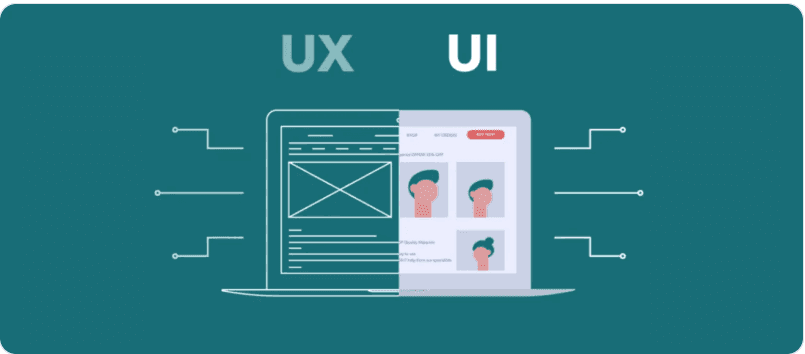
In the ever-evolving realm of technology, user experience (UX) and user interface (UI) design play a pivotal role in shaping how users interact with digital products and services. As we venture into 2024, several key trends are poised to transform the way we design and deliver engaging and intuitive experiences. 1. Embracing Microinteractions for Delightful Engagement Microinteractions are subtle yet impactful design elements that enhance user engagement and provide feedback on user actions. In 2024, we can expect to see a proliferation of microinteractions that go beyond simple animations and gestures. These interactions will be more purposeful, providing context-aware feedback and guiding users through tasks seamlessly. Consider the example of a music streaming app that incorporates microinteractions to enhance the user experience. When a user taps on a song, a subtle animation might expand the album artwork, providing a visual cue that the song has been selected. Additionally, a haptic feedback could be triggered, providing a tactile response to the user’s action. These microinteractions, when executed thoughtfully, can create a sense of delight and engagement, making the user feel more connected to the app. 2. Personalization: Tailoring Experiences to Individual Needs Personalized experiences have become increasingly important in today’s data-driven world. In 2024, UX/UI designers will focus on creating tailored experiences that adapt to individual user preferences, behaviors, and contexts. This will involve leveraging data analytics, machine learning, and artificial intelligence to deliver relevant content, recommendations, and features. Imagine a news app that uses machine learning to analyze a user’s reading habits and preferences. Based on this analysis, the app could curate a personalized news feed, highlighting articles that align with the user’s interests. Additionally, the app could recommend articles based on the user’s current location or time of day. This level of personalization can improve user engagement, satisfaction, and loyalty. 3. Immersive Experiences with Augmented Reality (AR) and Virtual Reality (VR) Augmented reality (AR) and virtual reality (VR) are no longer just futuristic concepts; they are becoming increasingly accessible and integrated into our daily lives. In 2024, we can expect to see more AR and VR applications in UX/UI design, particularly in e-commerce, education, and training. AR will overlay digital elements onto the real world, enhancing the user’s experience in various ways. For instance, an e-commerce app could use AR to allow users to virtually place furniture in their homes before purchasing it. Similarly, an education app could use AR to bring historical figures or scientific concepts to life. VR will transport users into fully immersive virtual environments, creating new possibilities for learning and engagement. Imagine a training simulation that allows a surgeon to practice a complex procedure in a virtual operating room or a language learning app that allows users to converse with native speakers in a virtual café. 4. Dark Mode: Enhancing Comfort and Accessibility Dark mode has become a popular choice among users for its ability to reduce eye strain and improve readability in low-light conditions. In 2024, dark mode will become even more prevalent, with more applications and websites offering this option. Additionally, designers will explore ways to make dark mode more versatile and adaptable to different user preferences and lighting conditions. Dark mode can be particularly beneficial for users who spend long hours working on digital devices or who have sensitivities to bright lights. By providing a dark mode option, designers can demonstrate their commitment to user comfort and accessibility. 5. Data Visualization: Simplifying Complex Information Data visualization plays a crucial role in communicating complex information in a clear and concise manner. In 2024, we can expect to see more innovative data visualization techniques that go beyond traditional charts and graphs. Designers will explore interactive elements, storytelling techniques, and personalized visualizations to enhance user comprehension and engagement. Consider a financial dashboard that uses data visualization to present a user’s investment portfolio. Instead of displaying a dense table of numbers, the dashboard could use interactive charts, graphs, and infographics to make the information more easily digestible. Additionally, the dashboard could provide personalized insights and recommendations based on the user’s financial goals and risk tolerance. 6. Ethical Design: Prioritizing User Well-being and Privacy In an increasingly connected world, ethical design practices are more important than ever. In 2024, UX/UI designers will focus on creating user-centric designs that respect privacy, promote well-being, and avoid manipulative or addictive patterns. Designers will also consider the social and environmental impact of their designs, ensuring that they are inclusive and accessible to all users. Ethical design principles should be integrated throughout the entire design process. Designers should consider the potential impact of their designs on users’ privacy, mental health, and social interactions. 7. Voice User Interfaces (VUIs): Making Interactions More Natural Voice user interfaces (VUIs) have gained popularity due to their convenience and natural interaction capabilities. In 2024, VUIs will become more sophisticated, enabling more complex tasks and providing more personalized responses. VUI design will focus on natural language processing, context awareness, and error handling to deliver a seamless and intuitive user experience. Imagine a smart home system controlled entirely by voice commands. A user could adjust the temperature, turn on lights, or play music simply by speaking to the device. VUI design will play a crucial role in ensuring that these interactions are natural and intuitive, allowing users to interact with their devices in a way that feels natural and effortless. 8. Sustainable Design: Minimizing Environmental Impact As environmental concerns continue to grow, sustainable design practices are becoming increasingly important. In 2024, UX/UI designers will focus on creating eco-friendly designs that minimize their environmental impact. This will involve reducing energy consumption, optimizing resource usage, and designing for longevity and recyclability. Sustainable design principles can be applied to various aspects of UX/UI design, including the choice of materials, energy efficiency of devices, and data usage. Designers can minimize the environmental impact of their designs by using recycled materials, optimizing code to reduce energy consumption, and minimizing data transfer and storage. 9. Embracing a Universal Design Language (UDL) Universal Design Language (UDL) is a framework for designing products and services that are accessible to the widest possible range of users, including those with disabilities. In 2024, UDL will become more widely adopted in UX/UI design, ensuring that digital products and services are inclusive and accessible to all. UDL principles emphasize the importance of providing multiple means of representation, action, and engagement. This means that designers should consider the diverse needs of users and provide alternative ways for them to interact with and access information. For instance, a website could provide alternative text for images, transcripts for audio content, and keyboard navigation for users with limited mobility. 10. The Future of UX/UI Design: A Human-Centered Approach As technology continues to evolve, the role of UX/UI design will become increasingly important. In 2024 and beyond, UX/UI designers will play a crucial role in shaping how we interact with digital products and services, ensuring that these interactions are not only functional but also engaging, intuitive, and accessible to all. By embracing these trends and staying attuned to user needs, UX/UI designers can create digital experiences that enhance our lives, empower us to do more, and connect us in meaningful ways. As we navigate the ever-changing digital landscape, UX/UI design will remain at the forefront, shaping the future of human-computer interaction. Conclusion As we venture into 2024, the future of UX/UI design is poised to be filled with innovation, personalization, and a focus on user well-being. By embracing these emerging trends, UX/UI designers can create digital experiences that are not only functional but also engaging, intuitive, and accessible to all. Experience the difference. Let Aziro (formerly MSys Technologies) guide you into the future of UX/UI design. Aziro (formerly MSys Technologies) is a leading provider of UX/UI design services, helping businesses create digital products and services that delight users and drive business results. Our team of experienced designers is passionate about creating user-centered designs that are aligned with your business goals. Contact us today to learn more about how Aziro (formerly MSys Technologies) can help you achieve your UX/UI design goals.

Aziro Marketing
blogImage

How to empower GUI Automation and integrate it in Powershell

In this blog we will discuss about how to empower GUI Automation and integrate it into Powershell framework. In general, Powershell scripts are mainly used for automating the middleware and backend system functionality.But, in order to get end-to-end automation, we will have to integrate the frontend GUI Automation too. GUI Automation can be used as a validation point, soon after performing the middleware and backend system API execution.This can be achieved by using binary module [Using C# .Net Automation Libraries] through which UI automation can be bridged with middleware and backend system automation.Let’s take a look at “How binary module integration is done”What is Powershell Binary Module?Importing a dll [Using C# .Net libraries] into powershell is referred to as Binary Module. A binary module can be any assembly (.dll) that contains cmdlet classes. A dll which contains cmdlet classes can be imported into powershell. By default, all the cmdlets in the assembly are imported when the binary module is imported.Binary Module integration is segregated into two divisions,Creating library file using C#.Loading the dll into powershell1. Creating library file using C#.STEP 1 : Creating a New ProjectSelect the Visual C# from the installed Templates list and then pick Class Library since compiled modules in PowerShell are in DLL format. Let’s name this project as DemoModule.STEP 2 : Navigate to PropertiesSelect the Debug option in the menu and select DemoModule Properties.STEP 3 : Choose .NET frameworkGo to Application and choose the appropriate (suitable for powershell version) .NET framework version under “Target framework”.In Visual Studio 2012 the assembly will be built using .NET 4.5, but you’ll need to switch it to use the older framework, so that Powershell can load the assembly.Note : Select the .NET Framework depending on the lowest version of PowerShell to support. You can use the following as reference:PowerShell 2.0 – .NET Framework 3.5PowerShell 3.0 – .NET Framework 4PowerShell 4.0 – .NET Framework 4.5STEP 4: Adding reference.Right click on Reference in the Solution Explorer and select Add Reference.Loading the following UI Automation library as referenceNeed to load the System.Management.Automation library as a reference to our project to make the PowerShell API calls available.Select browse under Reference manager.Navigate to locationC:\Windows\assembly\GAC_MSIL\System.Management.Automation\1.0.0.0__31bf3856ad364e35 and select the file System.Management.Automation.dllAfter adding the following library in references.STEP 5 : Import “System.Windows.Automation” libraryInclude the “System.Windows.Automation” reference to the class to get access to API calls in order to build a PowerShell module.STEP 6 : Converting the class into a single Powershell cmdletCreating Powershell cmdlet using dataanotation. “[System.Management.Automation.Cmdlet(System.Management.Automation.VerbsCommon.Get, ”DemoName”)]”STEP 7 : Build the Project to dllBuild solution is done either by hitting F7 or selecting “Build Solution” from the BUILD menu. After build succeeds, collect the dll from the path displayed in Output pane.2. Loading the dll into powershell :STEP 1: Navigate the location of dll with Import-Module along with -Verbose to load the module and give output. It shows that Get-DemoName is loaded.DLL received from .Net environment is been loaded into Windows powershell prompt using cmdlet “Import-Module”STEP 2: Get-Module displays the module information which in turn implies that DLL gets loaded successfully.Powershell cmdlet “Get-help Get-DemoName” shows the detailed information of the cmdletConclusionImporting binary modules written in C# helps achieve GUI automation through Powershell.

Aziro Marketing

blogImage

Top 6 Reasons Why UX Helps Accelerating Business Growth in 2023

Key Takeaways:➔ Good UX saves time and money during the development process so your business can run smoothly.➔ Capturing leads and improving user experience boosts SEO, organic traffic, and conversions.➔ UX design increases brand value and customer pleasure, helping firms build credibility.➔ UX design improves digital product functioning to provide interesting, informative products and services.➔ Good UX attracts customers, meets their demands, and achieves your goals.➔ User engagement and retention increase due to improved usability and flow.A high-quality user experience design can boost user satisfaction and loyalty, leading to increased customer retention and the possibility of word-of-mouth marketing. It is also possible to improve the product’s efficiency, ultimately leading to higher productivity for both the company and the consumers of the product. Take a look at these statistics below:The return on investment for user experience design is 9,900% for every dollar put into it (ROI = $100).When the images won’t load or the loading time takes too long, 39% of users will stop interacting with the material.Over 85% of individuals believe that a company’s mobile website should be at least comparable to the quality of its desktop website.After having a negative experience on a website, people are 88% less likely to return to that website.If a website is not optimized for mobile devices, mobile users have a five times increased likelihood of giving up on a task.These statistics reveal that businesses ought to put money and time into designing user experiences. Companies must invest in UX design since it may significantly influence their success.An excellent user experience design can set a company’s product apart from its rivals, providing an edge in the market. Investing in UX might save the firm money in the long term by lowering the requirement for costly redesigns and upgrades to address user dissatisfaction.Understanding UX DesignThe user experience design is an all-encompassing concept encompassing many subfields, including usability, visual design, interaction design, and information architecture.The process of developing goods that give consumers experiences that are both meaningful and distinctive is at the heart of UX design. This is because UX design is about putting the users at the center of everything created. As user experience design is so intertwined with product development, it is also capable of fostering the expansion of a company.Why is UX Crucial for Your Business?Social media and digital transformation are becoming increasingly popular in the current digital era. Businesses need to emphasize adopting a UI/UX strategy for digital solutions to engage people successfully and motivate them to perform productive actions.The user experience design will assist you in maximizing the number of consumers that visit your website. As a result, users can locate what they are searching for quickly, and the search results will be improved due to simple navigation and properly structured pages. Compelling user experience design also assists consumers in better comprehending your company’s offerings, which directly contributes to enhancing your website’s conversion rate.Why Your Company Should Invest in UX Design/ Why You Should Invest in UX DesignA good UX design considers both the intended audience and the end user. If you want your company to have an advantage over its rivals, it is essential to research user experience and invest in user experience design.Here are six reasons why UX is essential to the success of your company:1. UX Design Reduces Costs Significantly While Economizing on TimeMore and more companies realize that the discovery stage of a project is critical since it may head off any problems with the product’s usability later in the design process.A good UX comes from a powerful user interface. Invest in a top-tier UI/UX design firm so that they can supply you with the appropriate UI to improve your user experience. An early investment in UX design will result in significant cost savings during development. This means you will have to upgrade less often, saving time and money.2. UX Design Can Improve SEO Rankings and Website VisitorsBoth UX design and SEO play a vital role in achieving the same overarching objective: to facilitate the discovery of digital platforms for users to increase conversion rates. SEO can attract more traffic, and UX design helps promote understanding to consumers, which keeps them engaged. When coupled, these two factors contribute to the successful building and branding of the product.As Google is committed to giving the most incredible user experience possible, it has made UX one of the primary ranking factors. As a result, the quality of the user experience is also intimately connected with SEO. Because of this, the number of people who see your website in organic search results will increase proportionately to how user-friendly and well-designed it is.3. Increased Conversion Rate by Identifying the Product’s Weak Spots and Improving ThemThe complex and attractive layouts of many websites are one of the primary factors that first attract customers. On the other hand, they cannot provide a satisfactory user experience for their prospective clients because of unclear navigation, poor content arrangement, etc.The number of people purchasing on a website is the prototypical example of the conversion rate. Conversion rates can be increased by identifying the product’s weak spots and working to improve them. UX designers provide a variety of methods for analyzing the target demographic to impact the percentage of visitors that make a purchase. Using in-depth user analysis and research, they uncovered issues with the product’s usability and why people stopped using it.4. Increase in Customer Loyalty and SatisfactionA trustworthy and engaging user experience is critical for an organization’s success because it fosters long-term connections with its target customers. Loyalty to a brand goes hand in hand with developing credibility and trust, ultimately increasing client retention rates.The principles of user experience design have a favorable influence on the organization’s return on investment, which in turn increases customer happiness. The importance of finding the most incredible user experience design business stems from the fact that happy consumers are more likely to stay loyal to a brand, which can result in increased sales.5. UX Makes Your Digital Products More Intuitive and User-FriendlyUsers can make decisions more easily thanks to user experience design since they do not have to exert effortlessly to locate the required information. The primary goal of UX designers is to produce a smooth and user-friendly digital product experience for end users. For the digital product to work, the UX designers will do much user research to find and eliminate problems and obstacles that users find annoying.Users can fill out a questionnaire and place their orders online using a more effectively designed website if the questionnaire and website both have predictable functions provided by UX design. For instance, user experience design may make it simpler for customers to register on an e-commerce website by reducing the number of fields that must be filled out.6. Enhanced User Retention with Enriched User ExperienceThe quality of the user experience is of critical significance if you want people to remain engaged with your application for an extended time. UX designers strive to provide the most user-friendly and accessible designs possible, essential in maintaining existing users.When a user’s demands are satisfied by a product, user retention rates rise, especially with digital user experience platforms. Users are more likely to recommend a product or service to their relatives and friends if they have a genuine enthusiasm for the product or service in question or if the service provides exceptional value to the user.Wrapping UpInvesting in user experience design is profitable, and the long-term benefits include a rise in return on investment, decreased expenses, enhanced user retention, and improved ranks on Google. All of these factors demonstrate to us that the benefits of UX design for your organization are not something that should ever be underestimated. You can differentiate yourself from the competitors and win the loyalty of more customers by developing a UX design that is appropriately optimized.Get in touch with Aziro (formerly MSys Technologies) UX design experts to learn more about our UX offerings. Our UX designers are always prepared to provide you with a consultation on how your company may profit from improved UX Design.

Aziro Marketing

EXPLORE ALL TAGS
2019 dockercon
Advanced analytics
Agentic AI
agile
AI
AI ML
AIOps
Amazon Aws
Amazon EC2
Analytics
Analytics tools
AndroidThings
Anomaly Detection
Anomaly monitor
Ansible Test Automation
apache
apache8
Apache Spark RDD
app containerization
application containerization
applications
Application Security
application testing
artificial intelligence
asynchronous replication
automate
automation
automation testing
Autonomous Storage
AWS Lambda
Aziro
Aziro Technologies
big data
Big Data Analytics
big data pipeline
Big Data QA
Big Data Tester
Big Data Testing
bitcoin
blockchain
blog
bluetooth
buildroot
business intelligence
busybox
chef
ci/cd
CI/CD security
cloud
Cloud Analytics
cloud computing
Cloud Cost Optimization
cloud devops
Cloud Infrastructure
Cloud Interoperability
Cloud Native Solution
Cloud Security
cloudstack
cloud storage
Cloud Storage Data
Cloud Storage Security
Codeless Automation
Cognitive analytics
Configuration Management
connected homes
container
Containers
container world 2019
container world conference
continuous-delivery
continuous deployment
continuous integration
Coronavirus
Covid-19
cryptocurrency
cyber security
data-analytics
data backup and recovery
datacenter
data protection
data replication
data-security
data-storage
deep learning
demo
Descriptive analytics
Descriptive analytics tools
development
devops
devops agile
devops automation
DEVOPS CERTIFICATION
devops monitoring
DevOps QA
DevOps Security
DevOps testing
DevSecOps
Digital Transformation
disaster recovery
DMA
docker
dockercon
dockercon 2019
dockercon 2019 san francisco
dockercon usa 2019
docker swarm
DRaaS
edge computing
Embedded AI
embedded-systems
end-to-end-test-automation
FaaS
finance
fintech
FIrebase
flash memory
flash memory summit
FMS2017
GDPR faqs
Glass-Box AI
golang
GraphQL
graphql vs rest
gui testing
habitat
hadoop
hardware-providers
healthcare
Heartfullness
High Performance Computing
Holistic Life
HPC
Hybrid-Cloud
hyper-converged
hyper-v
IaaS
IaaS Security
icinga
icinga for monitoring
Image Recognition 2024
infographic
InSpec
internet-of-things
investing
iot
iot application
iot testing
java 8 streams
javascript
jenkins
KubeCon
kubernetes
kubernetesday
kubernetesday bangalore
libstorage
linux
litecoin
log analytics
Log mining
Low-Code
Low-Code No-Code Platforms
Loyalty
machine-learning
Meditation
Microservices
migration
Mindfulness
ML
mobile-application-testing
mobile-automation-testing
monitoring tools
Mutli-Cloud
network
network file storage
new features
NFS
NVMe
NVMEof
NVMes
Online Education
opensource
openstack
opscode-2
OSS
others
Paas
PDLC
Positivty
predictive analytics
Predictive analytics tools
prescriptive analysis
private-cloud
product sustenance
programming language
public cloud
qa
qa automation
quality-assurance
Rapid Application Development
raspberry pi
RDMA
real time analytics
realtime analytics platforms
Real-time data analytics
Recovery
Recovery as a service
recovery as service
rsa
rsa 2019
rsa 2019 san francisco
rsac 2018
rsa conference
rsa conference 2019
rsa usa 2019
SaaS Security
san francisco
SDC India 2019
SDDC
security
Security Monitoring
Selenium Test Automation
selenium testng
serverless
Serverless Computing
Site Reliability Engineering
smart homes
smart mirror
SNIA
snia india 2019
SNIA SDC 2019
SNIA SDC INDIA
SNIA SDC USA
software
software defined storage
software-testing
software testing trends
software testing trends 2019
SRE
STaaS
storage
storage events
storage replication
Storage Trends 2018
storage virtualization
support
Synchronous Replication
technology
tech support
test-automation
Testing
testing automation tools
thought leadership articles
trends
tutorials
ui automation testing
ui testing
ui testing automation
vCenter Operations Manager
vCOPS
virtualization
VMware
vmworld
VMworld 2019
vmworld 2019 san francisco
VMworld 2019 US
vROM
Web Automation Testing
web test automation
WFH

LET'S ENGINEER

Your Next Product Breakthrough

Book a Free 30-minute Meeting with our technology experts.

Aziro has been a true engineering partner in our digital transformation journey. Their AI-native approach and deep technical expertise helped us modernize our infrastructure and accelerate product delivery without compromising quality. The collaboration has been seamless, efficient, and outcome-driven.

Customer Placeholder
CTO

Fortune 500 company